Finance
MatchLedger
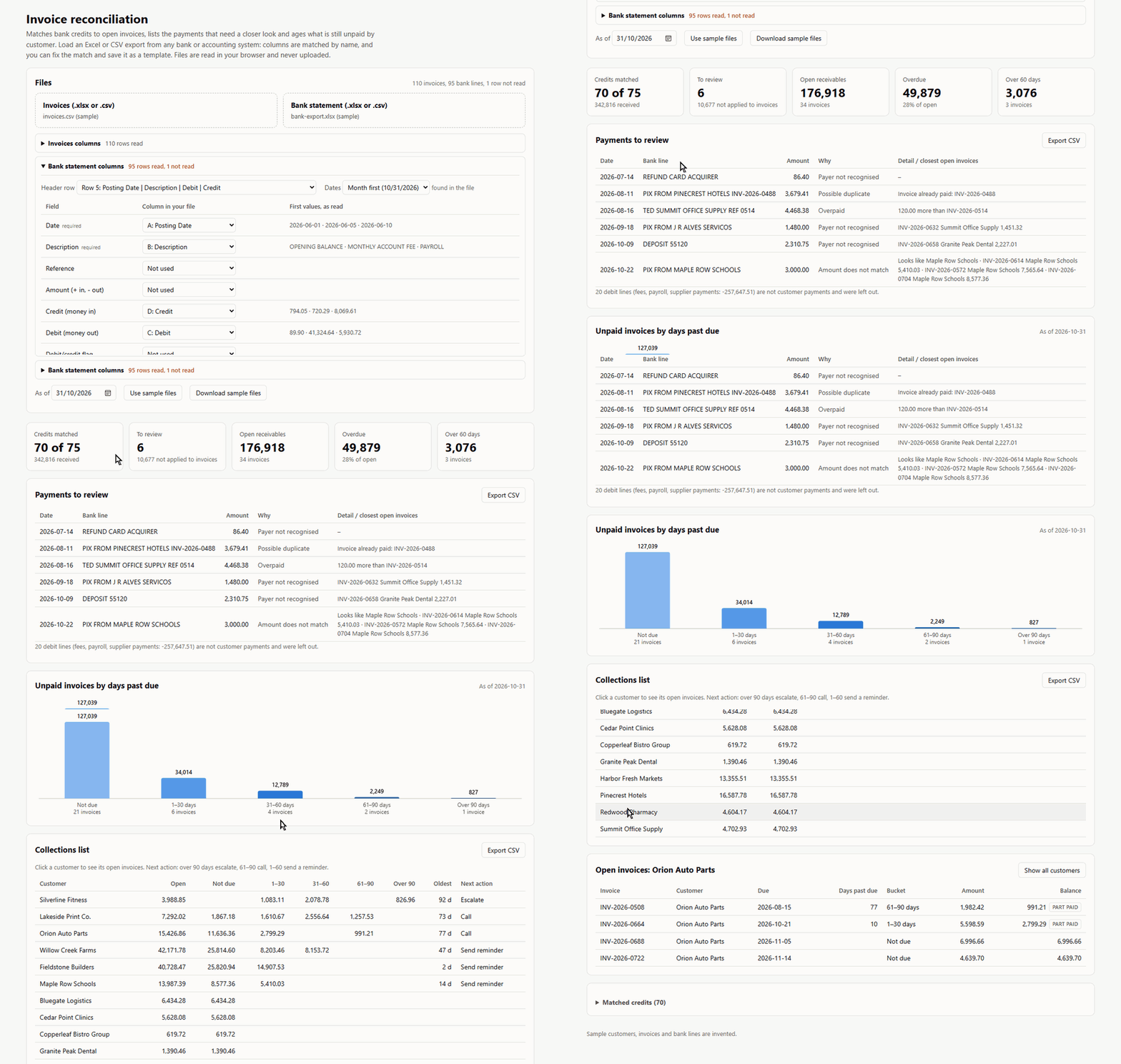
Bank credits matched to open invoices, and a collections list for what is still unpaid.
The problem
Matching customer payments to invoices by hand takes hours every month: a deposit with no reference, one transfer that pays three invoices, a customer who paid twice. Meanwhile overdue invoices go unnoticed until someone asks.
Who it is for
- Accounts receivable and finance assistants
- Small business owners who handle their own collections
- Accountants closing the month for clients
How it works
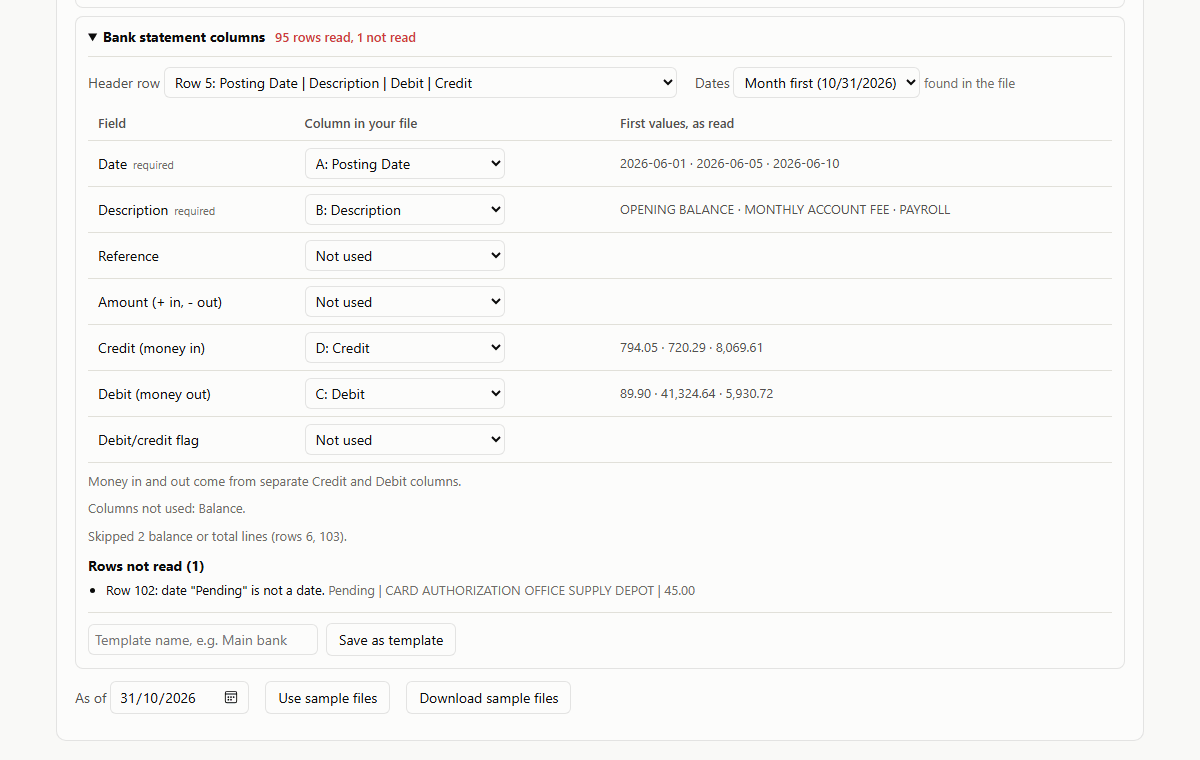
- Load the invoice list and the bank statement as Excel or CSV, straight from the bank or the accounting system. Columns, dates, amounts and debit/credit are recognised and can be corrected on screen, and the mapping can be saved for next month.
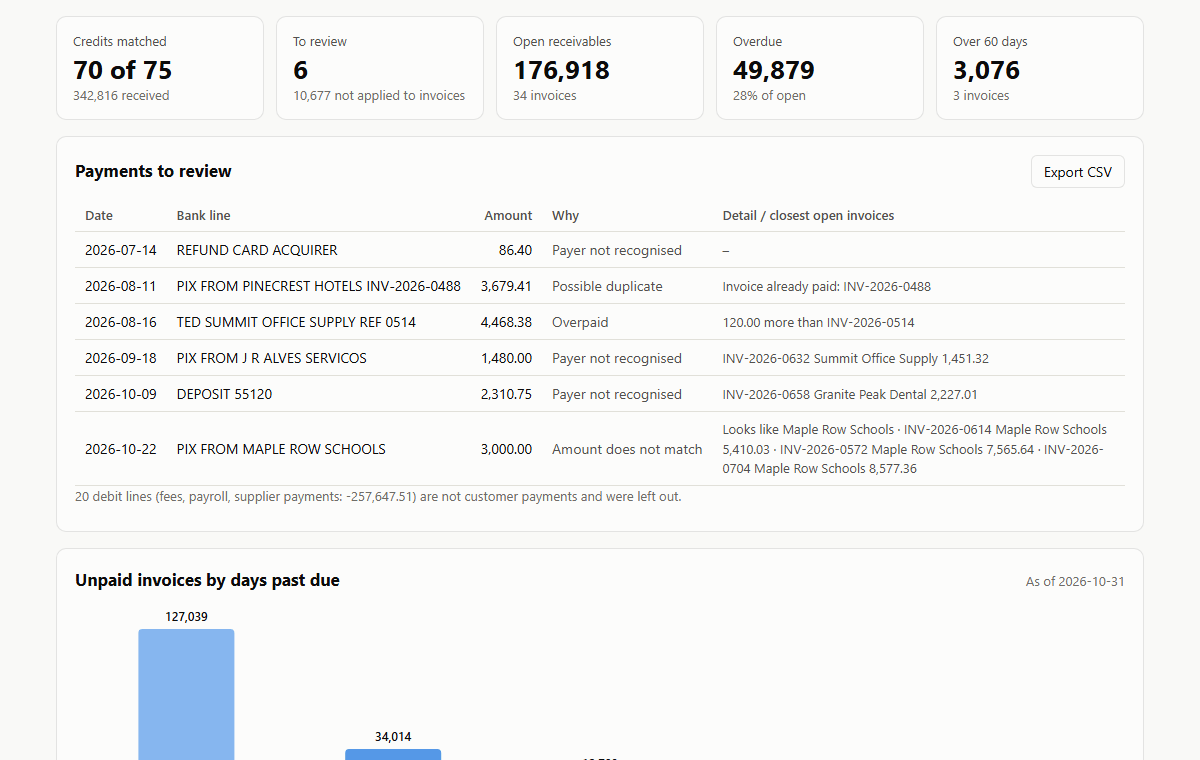
- Credits are matched by the invoice number in the bank line, by amount and payer name, by amount alone, or as the sum of several invoices. Anything uncertain goes to a review list with the closest open invoices.
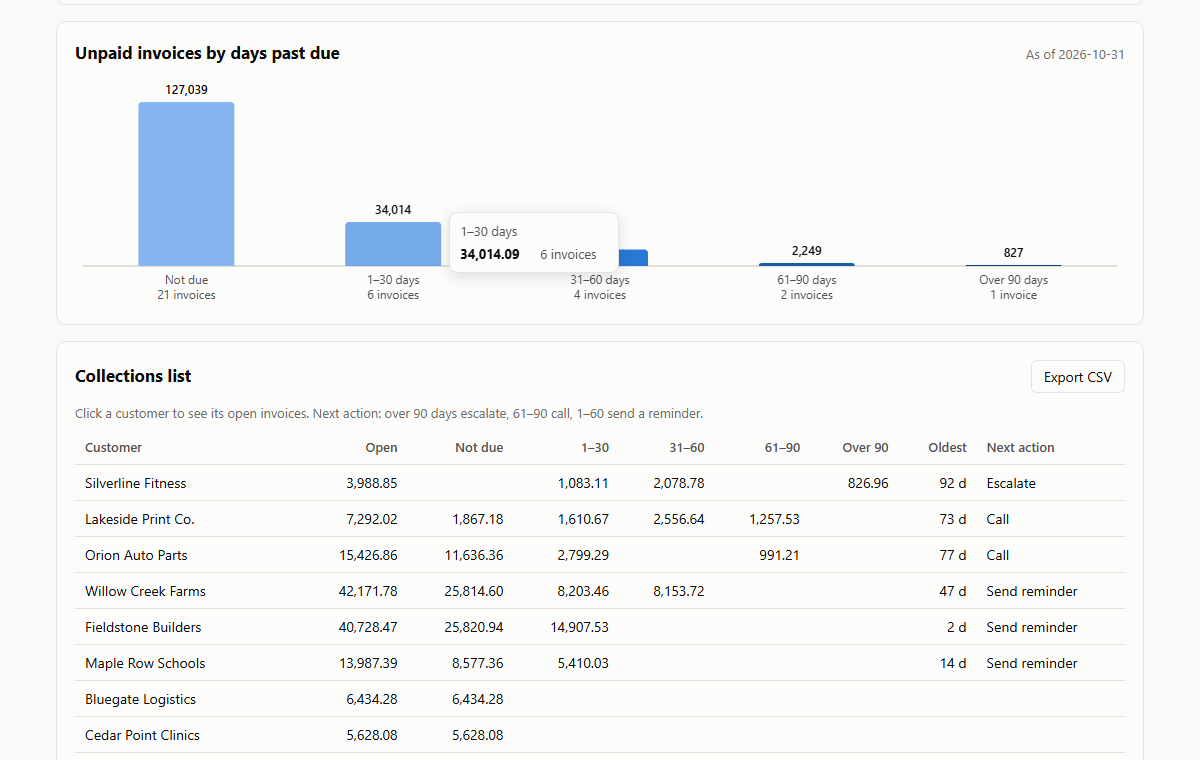
- Unpaid invoices are aged by days past due, with a next action per customer: send a reminder, call or escalate. Both lists export to CSV.
Privacy
Everything runs in your browser. The files you load are read on your device and never sent anywhere: there is no server behind the tool, no user account, no cookies and no visitor statistics. Nothing is kept after you close the page, except a column template if you choose to save one (header names only, kept in this browser until you delete it).
Under the LGPD and the GDPR, this means the tool collects, stores and shares no personal data, and there is no cookie banner because there are no cookies. The site host only serves the files, like any web page.
Run it on your own computer
For real statements, use your own copy. Download the offline copy, unzip it and open index.html: it runs without an internet connection and there is nothing to install. The source code, tests and sample files are on GitHub.
Screens
About the demo
The demo uses invented customers, invoices and bank lines. The bank file is laid out the way a bank portal exports it, with title lines, balance rows and one pending line that cannot be read. Do not load a real bank statement in the demo: try it with the sample files, and use the offline copy for your own data.
What a full version would add
The demo covers the daily work. Set up for a company, it would also have:
- Bank transactions pulled in directly (Open Finance or OFX) instead of exported files
- Matches written back to the ERP or accounting system
- Reminder emails and messages sent from the collections list, with a history per customer
- Several bank accounts and currencies